Add Payer Names to Insurance Companies
|
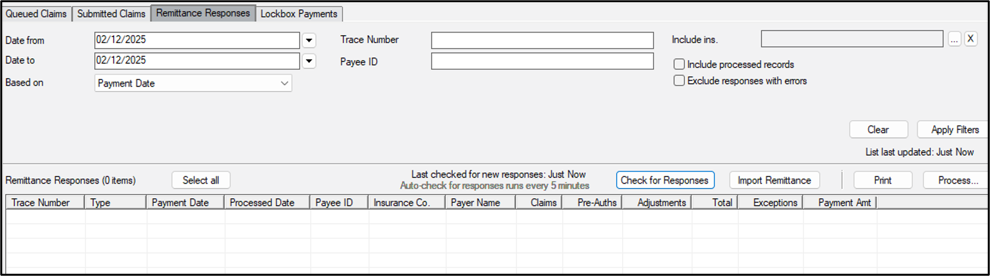
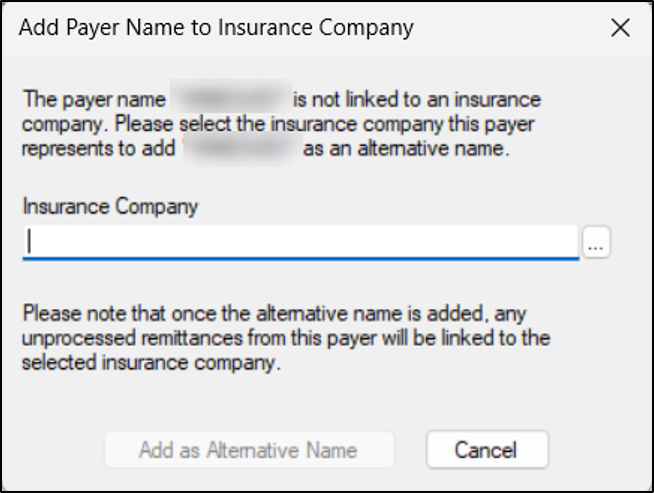
Sometimes the payer name on a remittance response does not exactly match the insurance company listed in axiUm. When this occurs, the response will display in red and cannot be auto-processed. Example: Insurance company names are limited to 50 characters when entered into axiUm. The payer name on the remittance response may be longer than insurance company that is listed in axiUm. When necessary, you can add payer names to insurance companies as alternative names. Once added, all remittance responses with that payer name become linked to the insurance company and can be auto-processed. Tip: When applicable, you can add multiple alternative names to an insurance company. Note: You can also add payer names to insurance companies from Maintenance > Insurance > Insurance Companies. To add a payer name:
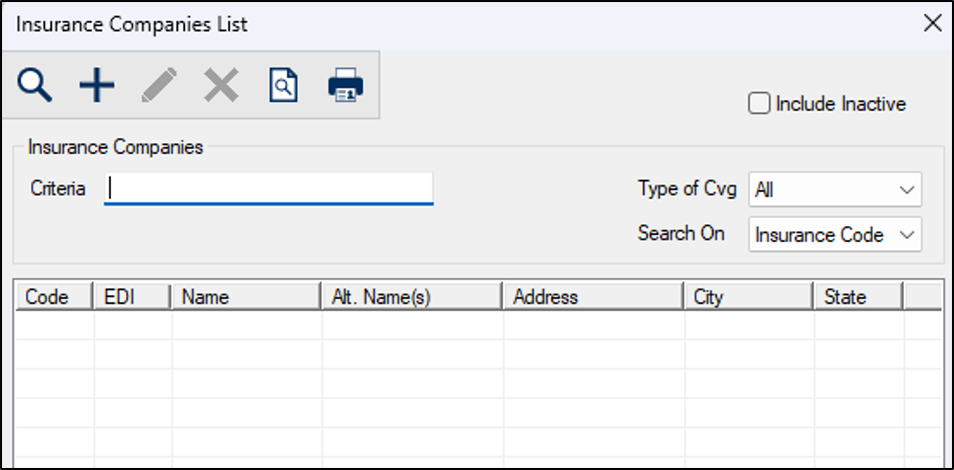
Tip: The Alt. Name(s) column indicates which payer names are already linked with a particular insurance company. Note: If the selected insurance company is inactive, an Inactive Insurance Company warning displays. You can click the Add Payer Only button to add the payer name to the inactive insurance company, click the Activate & Add Payer button to activate the insurance company and add the payer name, or click Cancel and select an active insurance company. The red record now displays in black to indicate it is ready to be processed and the linked insurance company now displays under the Insurance Co. column. Tip: Once a payer name is linked to an insurance company, all remittance responses with that payer name display in black and are ready to be processed. |